Yesterday, Sarah learned when her care happened — every visit, every procedure, organized into a true clinical timeline.
But here's the problem: Sarah's insurance claims only show what insurance paid for. What about her medications? Her lab results? Her immunizations? Her allergies?
Claims don't include:
- Medications prescribed but not yet filled
- Lab results from hospital visits
- Immunization records from her childhood
- Allergy information documented by providers
- Problem lists maintained across her care team
- Clinical notes from specialists
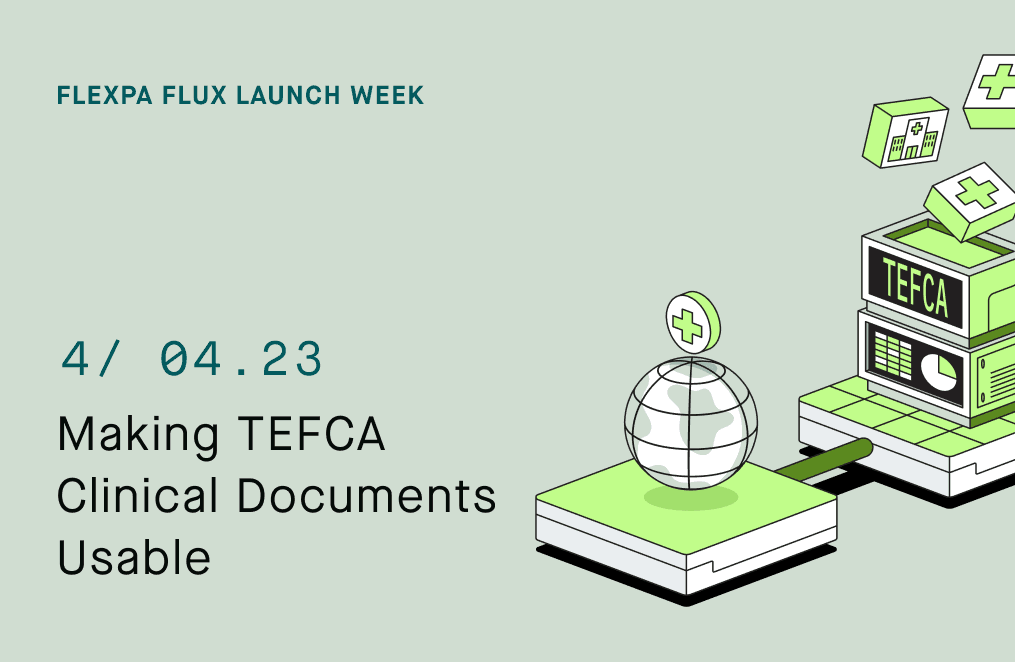
All of this data exists. It's maintained by providers across 72,000+ hospitals, clinics, and health systems in the TEFCA network. But when Sarah requests this data, it arrives as C-CDA XML:
<?xml version="1.0" encoding="UTF-8"?>
<ClinicalDocument xmlns="urn:hl7-org:v3">
  <realmCode code="US"/>
  <typeId root="2.16.840.1.113883.1.3" extension="POCD_HD000040"/>
  <templateId root="2.16.840.1.113883.10.20.22.1.1" extension="2015-08-01"/>
  ...
  (400 more lines of XML)
  ...
</ClinicalDocument>
This is unusable. Developers shouldn't need to parse XML. Patients shouldn't need to download hundred-page PDFs. TEFCA's promise of access to comprehensive clinical records is unlocked only if the data is transformed into something you can actually use.
Don't feel like reading? Watch the video summary:
The Problem
The Trusted Exchange Framework and Common Agreement (TEFCA) connects over 72,000 facilities across the United States. Through TEFCA, patients can request their complete medical records from any participating facility.
But TEFCA returns C-CDA XML documents.
C-CDA (Consolidated Clinical Document Architecture) is a standardized format for exchanging clinical information. It was designed in the early 2000s, before FHIR existed, and it's optimized for human-readable documents, not API consumption.
Here's what that means for developers:
- XML parsing: You need to write XML parsers to extract structured data
- Template complexity: C-CDA has dozens of templates with nested structures
- Narrative text: Clinical information is often buried in unstructured narrative sections
- No standard queries: You can't filter by medication name or lab test type without parsing the entire document
- Large payloads: Documents can be hundreds of KB or even MB
- Multiple versions: C-CDA has evolved through several versions with different structures
The Solution
Flexpa automatically transforms every C-CDA document into discrete FHIR resources: MedicationRequest, AllergyIntolerance, Observation, Immunization, Procedure, and Condition.
Implementation Details
Our C-CDA transformation pipeline runs automatically when you fetch DocumentReference resources that contain C-CDA documents from TEFCA sources:
1. DocumentReference Retrieval
When TEFCA returns a Query for Documents (QFD) response, we receive DocumentReference resources pointing to C-CDA XML content via:
DocumentReference.content[].attachment.url(URL to XML file)DocumentReference.content[].attachment.data(Base64-encoded XML)
2. C-CDA Parsing with Medplum
We use Medplum's open-source C-CDA parser to navigate the XML structure:
- Parse
<ClinicalDocument>root - Extract
<component><structuredBody><component>sections - Navigate section templates by
templateIdOID - Extract coded entries from
<entry>elements - Parse narrative text from
<text>blocks
3. Section-to-Resource Mapping
We map each C-CDA section to FHIR resources:
| C-CDA Section | Template OID | FHIR Resource |
|---|---|---|
| Medications | 2.16.840.1.113883.10.20.22.2.1.1 | MedicationRequest |
| Allergies | 2.16.840.1.113883.10.20.22.2.6.1 | AllergyIntolerance |
| Results | 2.16.840.1.113883.10.20.22.2.3.1 | Observation |
| Immunizations | 2.16.840.1.113883.10.20.22.2.2.1 | Immunization |
| Procedures | 2.16.840.1.113883.10.20.22.2.7.1 | Procedure |
| Problems | 2.16.840.1.113883.10.20.22.2.5.1 | Condition |
4. Code System Translation
C-CDA uses different code systems than FHIR. We translate:
- RxNorm codes for medications (same in both)
- SNOMED CT codes for conditions and observations (same in both)
- LOINC codes for lab tests (same in both)
- CVX codes for immunizations → FHIR Immunization.vaccineCode
- CPT codes for procedures (same in both)
5. Provenance Links
Every generated resource includes a Provenance link back to the source DocumentReference:
{
  "resourceType": "Provenance",
  "target": [{ "reference": "MedicationRequest/ccda-med-123" }],
  "activity": {
    "coding": [{
      "system": "http://hl7.org/fhir/w3c-provenance-activity-type",
      "code": "Derivation",
      "display": "wasDerivedFrom"
    }]
  },
  "agent": [{
    "type": {
      "coding": [{
        "system": "http://terminology.hl7.org/CodeSystem/provenance-participant-type",
        "code": "assembler"
      }]
    }
  }],
  "entity": [{
    "role": "source",
    "what": { "reference": "DocumentReference/tefca-doc-456" }
  }]
}
6. Transformation Status Tagging
We tag each DocumentReference with transformation status using meta.tag:
{
  "meta": {
    "tag": [{
      "system": "https://fhir.flexpa.com/identifiers/CcdaToFhir",
      "code": "transformed",  // or "not-ccda", "not-transformed"
      "display": "C-CDA 2.1 transformed to FHIR resources"
    }]
  }
}
The result:
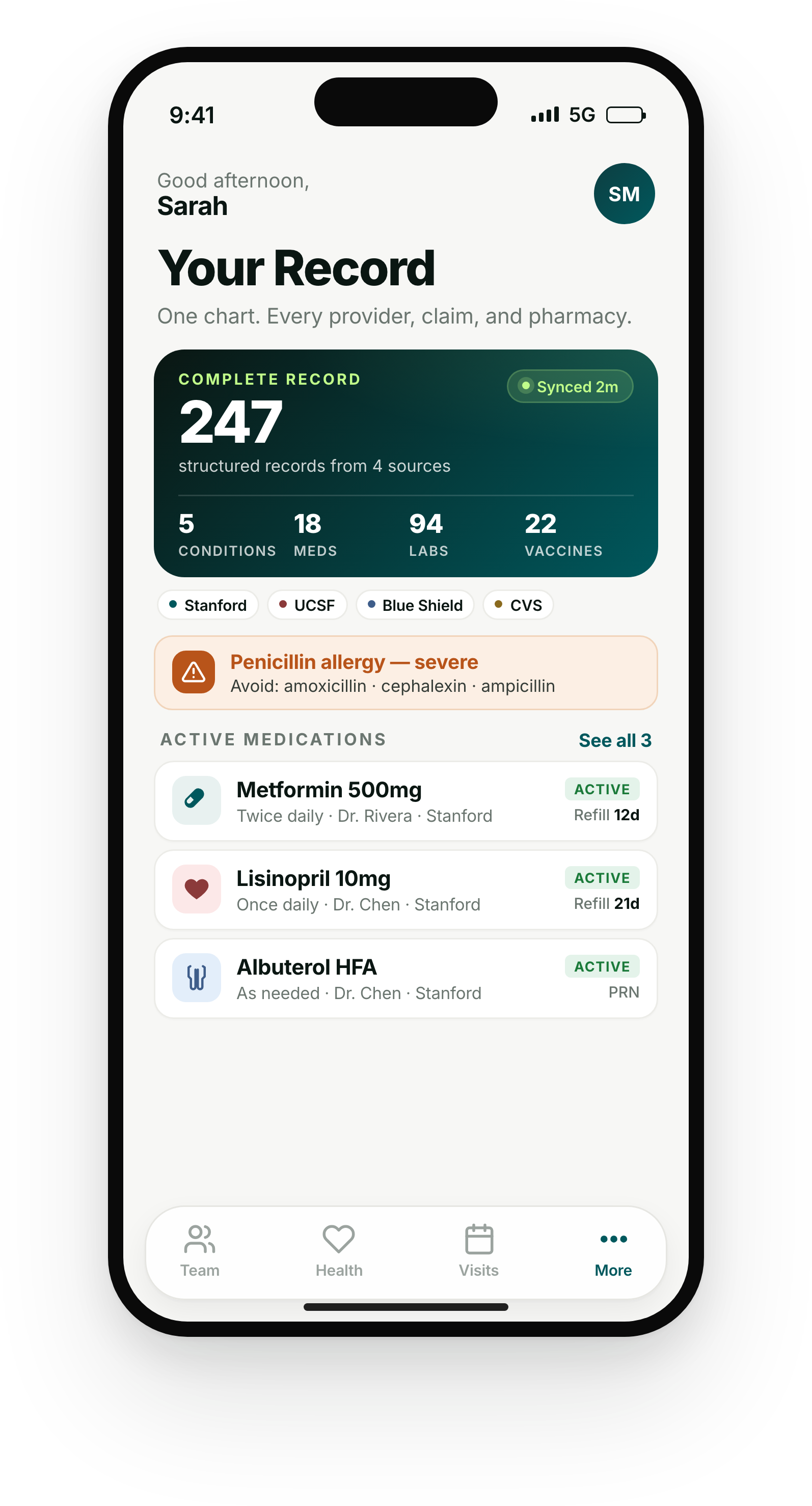
This UI is for demonstrative purposes only and does not reference any real application. It serves as inspiration for what you can build with Flexpa.
API Usage
Access TEFCA documents:
// Fetch all documents for a patient (includes TEFCA documents)
const documents = await fetch(
  'https://api.flexpa.com/fhir/DocumentReference',
  {
    headers: { 'Authorization': `Bearer ${accessToken}` }
  }
);

// Example DocumentReference with transformation status
{
  "resourceType": "DocumentReference",
  "id": "doc-tefca-12345",
  "status": "current",
  "meta": {
    "tag": [{
      "system": "https://fhir.flexpa.com/identifiers/CcdaToFhir",
      "code": "transformed",
      "display": "C-CDA 2.1 transformed to FHIR resources"
    }]
  },
  "type": {
    "coding": [{
      "system": "http://loinc.org",
      "code": "34133-9",
      "display": "Summarization of Episode Note"
    }]
  },
  "date": "2026-03-15"
}
Access transformed resources:
// Get all medications (includes those from TEFCA documents)
const allMedications = await fetch(
  'https://api.flexpa.com/fhir/MedicationRequest',
  {
    headers: { 'Authorization': `Bearer ${accessToken}` }
  }
);

// Example MedicationRequest from C-CDA
{
  "resourceType": "MedicationRequest",
  "id": "med-tefca-abc123",
  "status": "active",
  "intent": "order",
  "medicationCodeableConcept": {
    "coding": [{
      "system": "http://www.nlm.nih.gov/research/umls/rxnorm",
      "code": "861004",
      "display": "Metformin 1000 MG Oral Tablet"
    }],
    "text": "Metformin 1000mg"
  },
  "dosageInstruction": [{
    "text": "Take 1 tablet by mouth twice daily",
    "timing": {
      "repeat": {
        "frequency": 2,
        "period": 1,
        "periodUnit": "d"
      }
    }
  }]
}
Query across all sources (insurance claims + TEFCA):
// Get complete medication list (both prescribed and filled)
const allMedications = await fetch(
  'https://api.flexpa.com/fhir/MedicationRequest',
  {
    headers: { 'Authorization': `Bearer ${accessToken}` }
  }
);

// Get all lab results
const labResults = await fetch(
  'https://api.flexpa.com/fhir/Observation?category=laboratory',
  {
    headers: { 'Authorization': `Bearer ${accessToken}` }
  }
);

// Build a complete health summary
const healthSummary = {
  medications: allMedications.entry.map(e => e.resource),
  allergies: (await fetch('https://api.flexpa.com/fhir/AllergyIntolerance', {
    headers: { 'Authorization': `Bearer ${accessToken}` }
  })).entry.map(e => e.resource),
  conditions: (await fetch('https://api.flexpa.com/fhir/Condition', {
    headers: { 'Authorization': `Bearer ${accessToken}` }
  })).entry.map(e => e.resource),
  labs: labResults.entry.map(e => e.resource),
  immunizations: (await fetch('https://api.flexpa.com/fhir/Immunization', {
    headers: { 'Authorization': `Bearer ${accessToken}` }
  })).entry.map(e => e.resource)
};
The Medplum Connection
Flexpa's C-CDA transformation is powered by Medplum's open-source FHIR platform. Medplum's C-CDA parsing library is battle-tested across thousands of health systems and handles the complexity of template navigation, version differences, and edge cases.
By using open-source infrastructure, we ensure transparency, community-driven improvements, standards compliance, and battle-tested reliability.
Get Started
C-CDA to FHIR transformation is live for all Flexpa customers using TEFCA integration. Every DocumentReference automatically generates structured FHIR resources.
- Read the transformation documentation
- View DocumentReference resource schema
- Learn about TEFCA
- Pull your own health records
- Schedule a demo
This is Day 4 of Flexpa Flux Launch Week. Yesterday: Claims to clinical. Tomorrow: The philosophy behind data transformation and how it powers every use case.