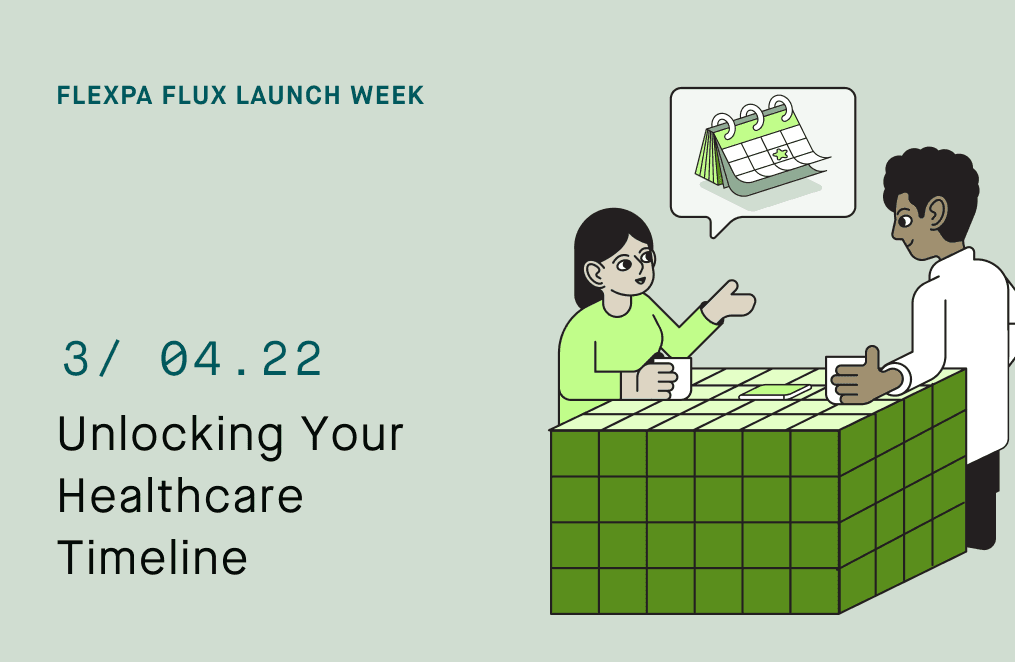
Yesterday, Sarah learned what conditions she has — three chronic diseases and two recent infections, grouped into body systems, with clarity she never had before. Now she wants to understand when everything happened.
She opens her insurance portal and sees:
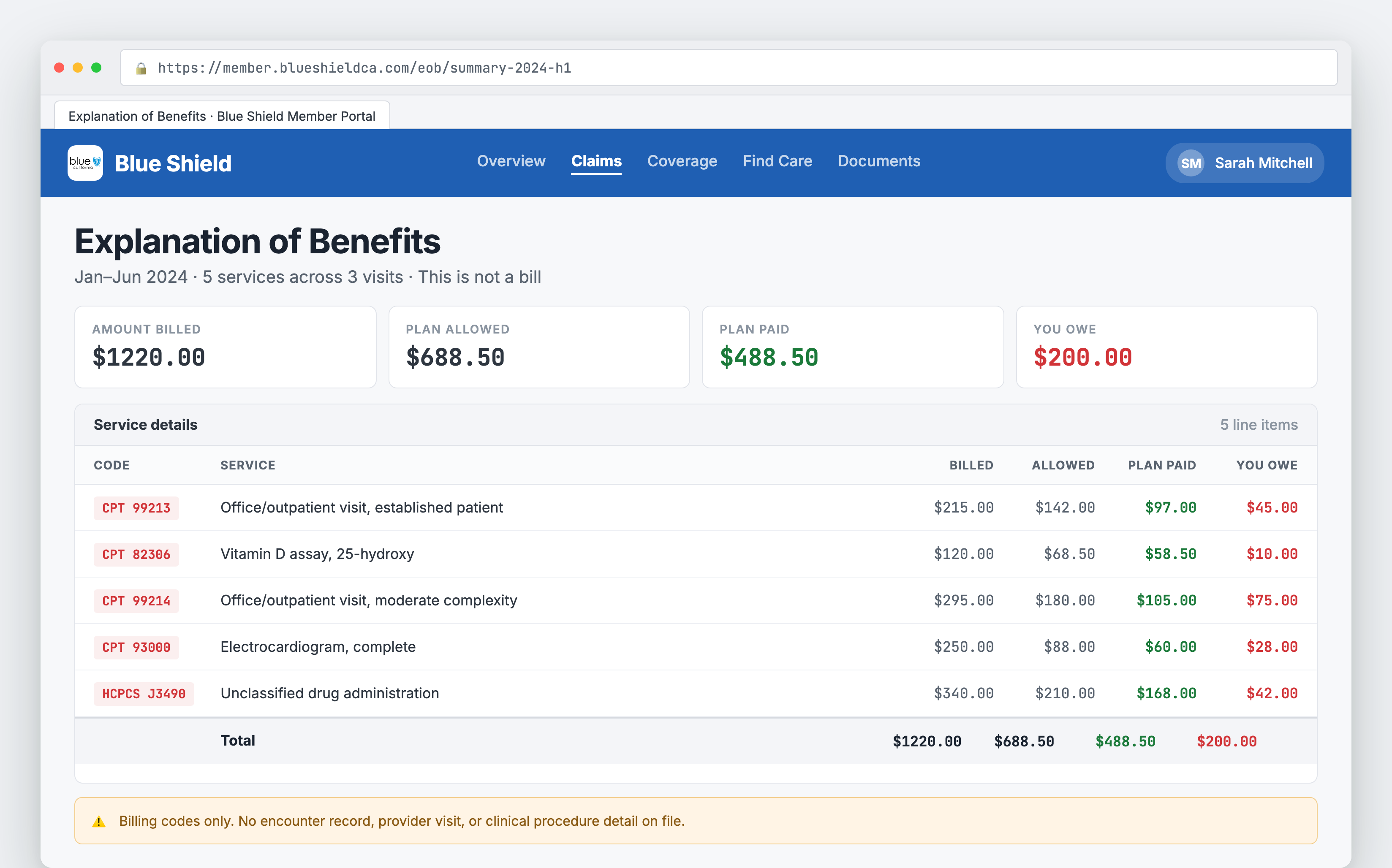
Screenshot shown for demonstrative purposes only.
These claims show amounts, copays, deductibles. Her insurer tracks dollars. But Sarah wants the story:
- When did I see Dr. Chen?
- Why did I end up in cardiology in March?
- Are there gaps in my care?
Insurance claims are built for billing, not for understanding care patterns.
For developers, this creates a mismatch between the data you receive (ExplanationOfBenefit) and the experiences users need (care timelines). Building a timeline from EOB resources requires transforming billing records into clinical encounters.
Don't feel like reading? Watch the video summary:
The Problem
When you request claims through a FHIR API, you get ExplanationOfBenefit resources designed to explain what insurance paid. They're optimized for financial processing:
- Billing codes (CPT, HCPCS): Describe what was billed, not what happened clinically
- Cost breakdowns: Focus on payments, not care events
- Multiple items per claim: A single claim can have 20+ line items
- Provider references: Just NPI numbers
What you don't get is a clinical timeline: when did care happen? What kind of visit? What procedures? How do visits relate?
The Solution
Flexpa automatically generates FHIR Encounter and Procedure resources from every ExplanationOfBenefit, creating a complete care timeline.
Implementation Details
Our claims-to-clinical pipeline runs during FHIR response assembly:
1. EOB Parsing
For each ExplanationOfBenefit, we extract:
- Service date from
ExplanationOfBenefit.billablePeriod.start - Primary provider from
ExplanationOfBenefit.provider(references enriched Practitioner) - Facility from
ExplanationOfBenefit.facility(references enriched Organization) - Diagnoses from
ExplanationOfBenefit.diagnosis[](ICD-10 codes) - Line items from
ExplanationOfBenefit.item[](CPT/HCPCS codes)
2. Encounter Generation
We create one Encounter resource per EOB:
Encounter.id: Deterministic ID based on claim ID (eob-{claim_id}-encounter)Encounter.status:finished(all claims are historical)Encounter.class: Derived from place of service code (office, hospital, telehealth)Encounter.period.start: Service date from EOBEncounter.participant[]: Links to enriched PractitionerEncounter.serviceProvider: Links to enriched OrganizationEncounter.reasonCode[]: Diagnosis codes from EOBEncounter.diagnosis[]: Links to auto-generated Condition resources
3. Procedure Extraction
For each line item in ExplanationOfBenefit.item[], we generate a Procedure resource:
Procedure.id: Deterministic ID (eob-{claim_id}-item-{line_number})Procedure.status:completedProcedure.code: CPT/HCPCS code from line itemProcedure.performedDateTime: Service dateProcedure.encounter: Reference to generated EncounterProcedure.performer[]: Links to provider
4. Provenance Tracking
Every generated resource includes a Provenance link:
{
  "resourceType": "Provenance",
  "target": [{ "reference": "Encounter/eob-123-encounter" }],
  "recorded": "2026-04-15T10:00:00Z",
  "entity": [{
    "role": "source",
    "what": { "reference": "ExplanationOfBenefit/eob-123" }
  }]
}
The result:
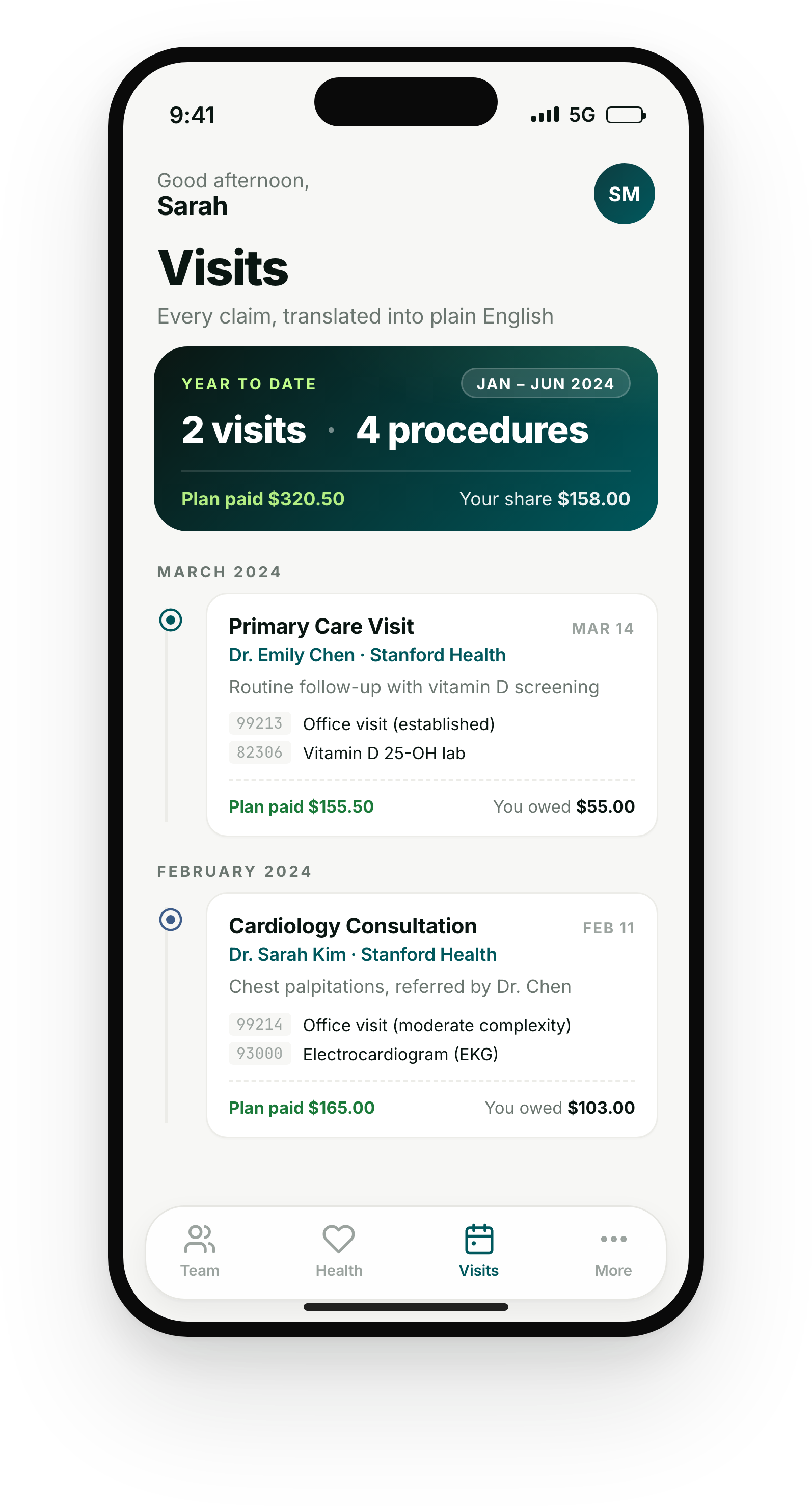
This UI is for demonstrative purposes only and does not reference any real application. It serves as inspiration for what you can build with Flexpa.
API Usage
Query encounters chronologically:
// Get all encounters for a patient, sorted by date
const response = await fetch(
  `https://api.flexpa.com/fhir/Encounter?patient=${patientId}&_sort=-date`,
  {
    headers: { 'Authorization': `Bearer ${accessToken}` }
  }
);
const encounters = await response.json();

// Example Encounter resource
{
  "resourceType": "Encounter",
  "id": "eob-claim123-encounter",
  "status": "finished",
  "class": {
    "system": "http://terminology.hl7.org/CodeSystem/v3-ActCode",
    "code": "AMB",
    "display": "ambulatory"
  },
  "type": [{
    "coding": [{
      "system": "http://snomed.info/sct",
      "code": "11429006",
      "display": "Consultation"
    }]
  }],
  "subject": {
    "reference": "Patient/patient-123"
  },
  "participant": [{
    "individual": {
      "reference": "Practitioner/npi-1234567890",
      "display": "Dr. Emily Chen, MD"
    }
  }],
  "period": {
    "start": "2026-03-15T14:00:00Z"
  },
  "reasonCode": [{
    "coding": [{
      "system": "http://hl7.org/fhir/sid/icd-10-cm",
      "code": "E11.9",
      "display": "Type 2 diabetes mellitus"
    }]
  }],
  "serviceProvider": {
    "reference": "Organization/npi-9876543210",
    "display": "Mission Bay Endocrine Center"
  }
}
Query procedures performed:
// Get all procedures for a patient
const response = await fetch(
  `https://api.flexpa.com/fhir/Procedure?patient=${patientId}&_sort=-date`,
  {
    headers: { 'Authorization': `Bearer ${accessToken}` }
  }
);
const procedures = await response.json();

// Example Procedure resource
{
  "resourceType": "Procedure",
  "id": "eob-claim123-item-1",
  "status": "completed",
  "code": {
    "coding": [{
      "system": "http://www.ama-assn.org/go/cpt",
      "code": "99214",
      "display": "Office visit, established patient, 30-39 minutes"
    }]
  },
  "subject": {
    "reference": "Patient/patient-123"
  },
  "encounter": {
    "reference": "Encounter/eob-claim123-encounter"
  },
  "performedDateTime": "2026-03-15T14:00:00Z",
  "performer": [{
    "actor": {
      "reference": "Practitioner/npi-1234567890"
    }
  }]
}
Build a timeline view:
// Fetch encounters with embedded procedures
const response = await fetch(
  `https://api.flexpa.com/fhir/Encounter?patient=${patientId}&_include=Encounter:participant&_revinclude=Procedure:encounter&_sort=-date`,
  {
    headers: { 'Authorization': `Bearer ${accessToken}` }
  }
);
const timeline = await response.json();

// Group by month for visualization
const byMonth = timeline.entry
  .filter(e => e.resource.resourceType === 'Encounter')
  .reduce((acc, { resource: encounter }) => {
    const month = encounter.period.start.substring(0, 7); // "2026-03"
    acc[month] = acc[month] || [];
    acc[month].push(encounter);
    return acc;
  }, {});
Get Started
Claims-to-clinical transformation is live for all Flexpa customers. Every EOB automatically generates Encounter and Procedure resources.
- Read the Claims to Clinical documentation
- View Encounter resource schema
- View Procedure resource schema
- Pull your own health records
- Schedule a demo
This is Day 3 of Flexpa Flux Launch Week. Yesterday: CCIR/CCSR classification. Tomorrow: C-CDA to FHIR transformation for TEFCA.